So you’re using AI tools like Claude and Gemini to code, right? It feels like the future… until the code it spits out is just… wrong.
It’s generic. It doesn’t know your architecture. It ignores your patterns. It writes massive code, and you spend more time fixing its “help” than it would have taken to write it yourself.
It’s frustrating.
Today, we’re fixing that. We’re talking about an important file you can create for AI-assisted development: the context file.
What Is a Context File?
You’ve probably seen these floating around. I call mine claude.md or gemini.md.
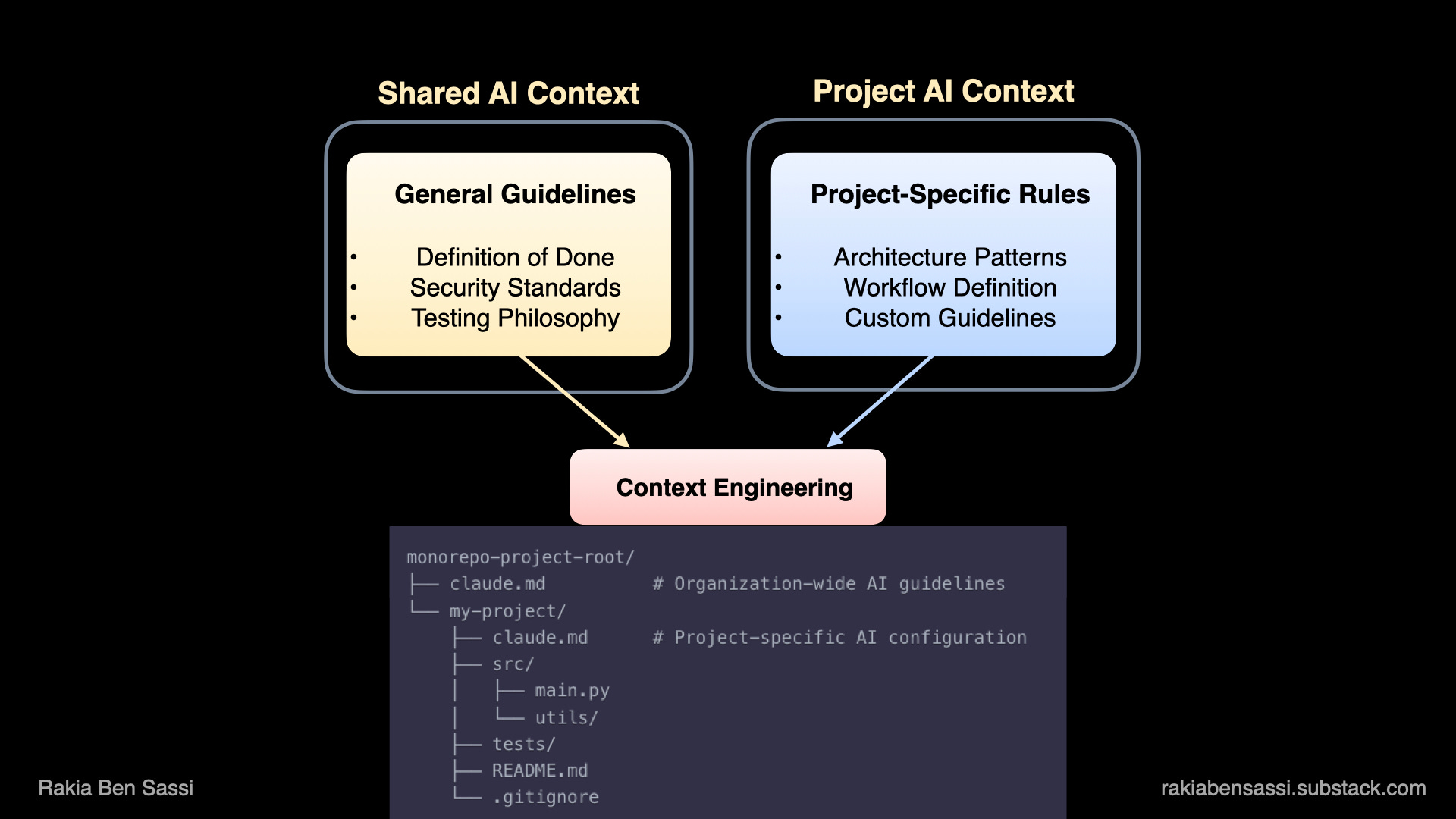
This file is where you tell the AI how to behave, what your standards are, and how your specific project is built. And here’s a tip: You don’t want one giant, 5,000-line file. You split your context.
A Shared File: It lives in a shared spot and contains all your general AI coding guidelines. “This is our Definition of Done.” “This is how we handle security.” “This is our testing philosophy.”
A Project-Specific File: This file lives in the root of the project you’re working on. It contains project-specific architecture, patterns, and workflows.
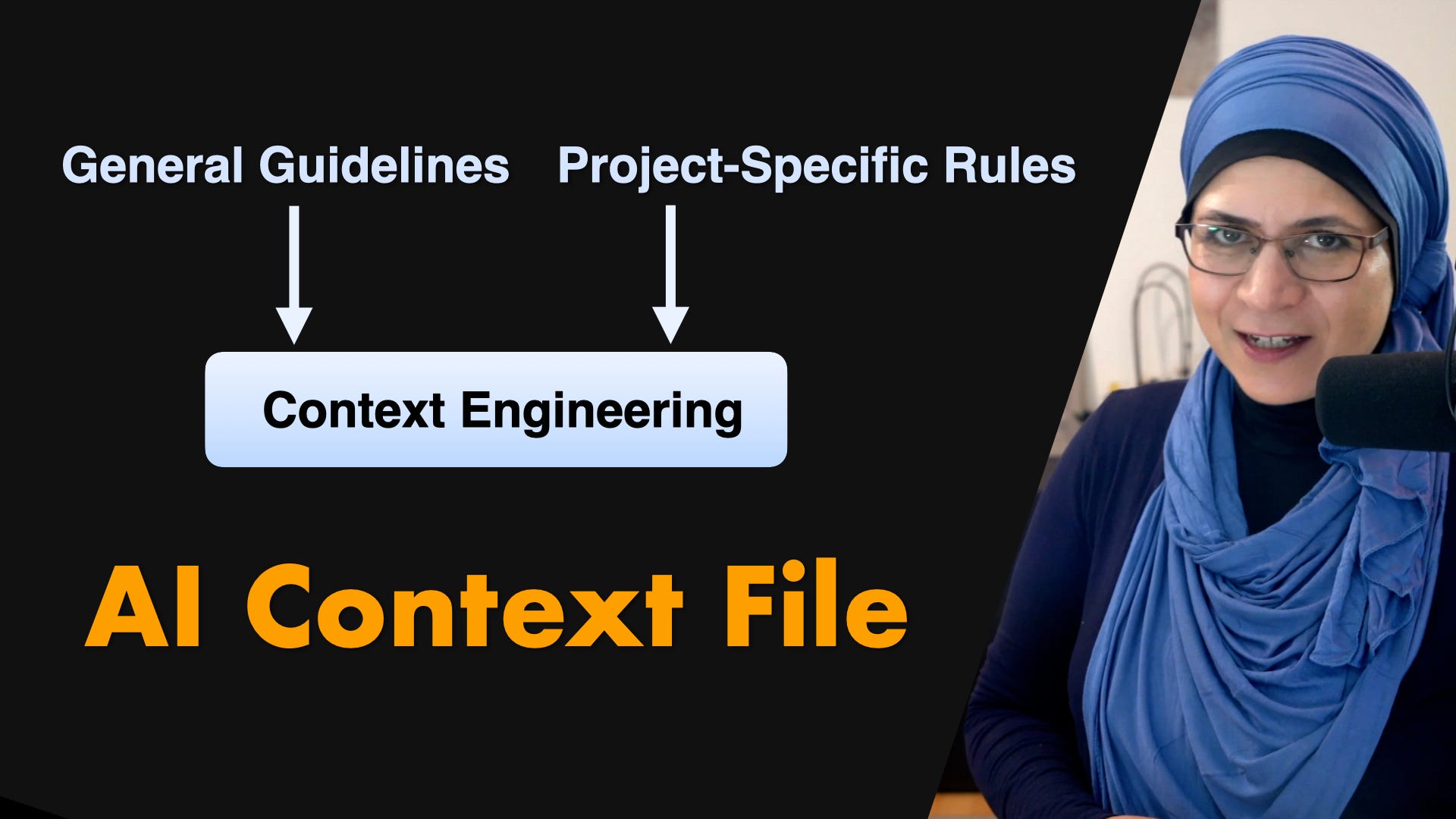
When you combine those two, you’re not just prompting. You’re context engineering. You’re giving the AI the vibe of the project.
Let’s See a Real One
Okay, theory’s over. I’m about to walk you through a sample claude.md file.
# Project Context
This is a LLM app using Python/FastAPI, langchain and langgraph.

## Constraints
- Use data in memory for cache, storage, and queue.

## Code Standards
- Max 50 lines per function
- Use descriptive variable names
- Use the latest stable versions of all libraries.
- Follow good practices and design patterns.

## 🚫 AI Code Generation Guidelines - AVOID THESE PATTERNS

### Code Anti-Patterns to Avoid
1. **NO excessive logging** - Only log essential information at appropriate levels
2. **NO generic error handling** - Catch specific exceptions with recovery strategies
3. **NO TODO/FIXME comments** - Complete implementations before committing
4. **NO functions with 5+ parameters** - Use dataclasses/Pydantic models instead
5. **NO dict[str, Any] everywhere** - Use proper type hints and domain models
6. **NO redundant code** - Follow DRY principle, extract common functionality
7. **NO magic numbers** - Use named constants with clear documentation
8. **NO unvalidated inputs** - Always validate external data with Pydantic/schemas
9. **NO inefficient algorithms** - Consider O(n) complexity, use appropriate data structures
10. **NO copy-paste code blocks** - Create reusable functions and utilities
11. **NO sequential awaits** - Use asyncio.gather() for parallel async operations
12. **NO untestable code** - Design with dependency injection and separation of concerns

### Mermaid Diagram Best Practices
1. **Keep diagrams focused** - One concept per diagram, max 15-20 nodes
2. **Use consistent visual semantics** - Same colors/shapes for same types across all diagrams
3. **Always include legends** - Explain what colors, shapes, and arrows mean
4. **Avoid redundancy** - Don’t repeat same information in multiple diagrams
5. **Progressive disclosure** - Start with high-level overview, link to detailed diagrams
6. **Clear flow direction** - Make data/control flow obvious with arrows and labels
7. **Purpose-specific diagrams** - Separate diagrams for data flow, deployment, auth, etc.

## 🎯 Production-Ready Code Requirements

### Make Code Review-Friendly
1. **Small, atomic changes** - Break large features into multiple small PRs (max 200 lines)
2. **Clear context** - Always explain WHY the change is needed, not just WHAT changed
3. **Self-documenting code** - Code should be readable without extensive comments
4. **Complete implementations** - Never submit partial solutions that “work but need cleanup”
5. **Test coverage with meaning** - Tests must validate behavior, not just increase coverage metrics

### Security-First Development
1. **Use only approved libraries** - Check project’s package.json/requirements.txt before adding dependencies
2. **No experimental patterns** - Stick to established, battle-tested approaches
3. **Security validation** - Always validate inputs, sanitize outputs, use parameterized queries
4. **Compliance check** - Follow existing authentication/authorization patterns in codebase
5. **Never bypass security** - Don’t disable linters, skip tests, or ignore security warnings

### Incremental Development Rules
1. **Start minimal** - Begin with the simplest working solution
2. **Iterate with purpose** - Each iteration should be reviewable and deployable
3. **No “big bang” commits** - Avoid massive single commits that change everything
4. **Progressive enhancement** - Add complexity only when requirements demand it
5. **Maintain working state** - Code should always be runnable after each change

### Maintain Code Context
1. **Preserve existing patterns** - Match the style and structure of surrounding code
2. **Respect architecture** - Don’t introduce new architectural patterns without discussion
3. **Follow naming conventions** - Use the project’s established naming patterns
4. **Keep dependencies minimal** - Reuse existing utilities before creating new ones
5. **Document deviations** - If you must deviate from patterns, explain why clearly

### Performance Considerations
1. **Optimize for readability first** - Clear code over clever code
2. **Profile before optimizing** - Don’t guess about performance bottlenecks
3. **Consider scale** - Think about how code performs with 10x current data
4. **Resource management** - Always close connections, clear timeouts, free resources
5. **Batch operations** - Use bulk operations for database/API calls when possible

### Testing Standards
1. **Test behavior, not implementation** - Tests should survive refactoring
2. **Edge cases matter** - Test error paths, boundary conditions, null/empty inputs
3. **Meaningful assertions** - Don’t just check that functions execute
4. **Independent tests** - Each test should run in isolation
5. **Fast feedback** - Unit tests should run in milliseconds, not seconds

### Code Review Mindset
1. **Write for the reviewer** - Assume the reviewer has no context
2. **Self-review first** - Review your own code before submitting
3. **Explain non-obvious decisions** - Add comments for complex business logic
4. **Consider future maintainers** - Code is read 10x more than written
5. **Address feedback constructively** - All review comments deserve thoughtful responses

## 🤖 AI Code Generation Specific Rules

### NEVER Generate:
- Entire features in one response - break into logical chunks
- Code without understanding existing patterns
- Tests that only increase coverage metrics
- Complex abstractions for simple problems
- Code that bypasses existing validation/security
- Verbose or duplicated code.

### ALWAYS Generate:
- Code that matches existing style guides
- Comprehensive error handling
- Meaningful variable/function names
- Tests that validate actual behavior
- Documentation for public APIs
- Production-ready and PR ready code that is easy to review and understand by human.

### Before Generating Code:
1. Analyze existing codebase patterns
2. Understand the full context of the change
3. Consider security implications
4. Think about maintenance burden
5. Evaluate if simpler solution exists

### Focus on Quality Metrics
- **Review time** < 30 minutes per PR
- **Review iterations** < 3 rounds
- **Change failure rate** < 5%
- **Time to production** < 1 day for small changes
- **Post-deployment issues** = 0 for standard features

### Definition of “Done”
- [ ] Code follows project style guide
- [ ] All tests pass locally
- [ ] New tests cover new functionality
- [ ] Error scenarios handled gracefully
- [ ] Performance impact assessed
- [ ] Security implications reviewed
- [ ] Documentation updated if needed
- [ ] Code self-reviewed before submission
- [ ] PR description explains the “why”
- [ ] Breaking changes clearly marked
And… that’s it.
That simple file just established your project’s technical standard, but the real power comes from the next section.
Your “Rules” Are Probably Bad
Now, your file might be full of blunt, dogmatic rules that just get in the way.
Rules like “NO functions over 50 lines!” What happens when you need 80 lines?
The point of a rule like “max 50 lines” isn’t to be an absolute law. It’s a guardrail. It’s there to force you, or the AI, to pause and justify why 80 lines is the right call, rather than just letting complexity creep in until you have a 500-line function and over 1000-line classes or services.
Here’s how you can refine the blunt rules:
Instead of: “NO
dict[str, Any]“Try this: “Use
TypedDictor Pydantic models for our domain objects. Adict[str, Any]is totally acceptable for initial JSON parsing from an external library, but it must be converted to a model before it touches our business logic.
See? Context.
Instead of: “NO functions with over 5 parameters.”
Try this: “If you find yourself needing more than 4–5 parameters, consider if they form a cohesive group. If so, bundle them into
dataclassor a settings object.”Instead of: “NO inefficient algorithms!”
Try this: “Choose the right complexity for the data scale. An O(n²) algorithm is fine for 100 items. If you’re doing it on 10 million, you must justify it in a comment.”
Instead of “NO untestable code,” → Try this: “Design for testability. Document constraints if not feasible.”
The main idea isn’t to hamstring the AI but to have guidelines with exceptions. Cut anything a linter could catch.
In short, the goal is to give the AI a framework for sound engineering judgment, not a list of hard NOs a linter could handle.
That file is the difference between fighting your AI and having it actually feel like a teammate.
By giving the AI these guidelines, you’re turning it from a generic code-generator into a real pair programmer that actually understands your project’s “vibe.” You’ll spend less time fixing its mistakes and more time thinking about the big picture. Which is, after all, our job.
So stop yelling at AI for being dumb. Go write your context file.
Cheers,
Rakia
Further Reading and Viewing
📖 Being Replaceable is a Mindset. This Is How You Flip the Script.
🎥 Agentic AI Coding, Next-Gen Models & Prompt Engineering Explained
📖 Master Agentic AI Coding, Next-Gen Models & Prompt Engineering Before Your Competitors Do
📖 Software development has a ‘996’ problem, by Matt Asay
🎁 I deliver bespoke tech workshops and seminars that:
✨ Make complex topics exciting
✨ Show real-world case studies
✨ Give hands-on with tailored content
✨ Let you leave energized 🚀 not overwhelmed!
Want this energy for yourself or YOUR team? 👉 Reach out or DM me.
🎁 Special Gift for You
I’ve got a couple of great offers to help you go even deeper. FREE and Discount access to my video courses - available for a limited time, so don’t wait too long!
🔥 Modern Software Engineering: Architecture, Cloud & Security
Discount coupon RAKIA_SOFT_ENG_6🤖 The AI for Software Engineering Bootcamp
Discount coupon AI_ASSISTED_ENG_7🔐 Secure Software Development: Principles, Design, and Gen-AI
FREE coupon RAKIA_SECURE_APPS_6FREE coupon RAKIA_API_DESIGN_6
🐳 Getting Started with Docker & Kubernetes + Hands-On
FREE coupon RAKIA_DOCKER_K8S_6⚡ Master Web Performance: From Novice to Expert
FREE coupon RAKIA_WEB_PERF_6
Want more?
💡 🧠 I share content about engineering, technology, and leadership for a community of smart, curious people. For more insights and tech updates, join my newsletter and subscribe to my YouTube channel.